
AIPPT.APP turns a topic or source material into a presentation you can review in a browser and export as a PPTX. It helps with a first draft: deciding what each slide should say, arranging the content and giving the deck a visual direction. You remain responsible for checking facts, source coverage and the final file.
Choose the output you need
Use AI presentation generation when you have a topic and a brief. Describe the audience, purpose, language and points that must appear. Choose a slide count and a style. Web search and illustrations are separate options; enable them when the task calls for them.
AI Agent builds slides from generated content and layout. The workspace lets you preview slides and edit supported text. The Nano Banana workflow creates image-based slides: words inside those images are not separate text boxes. A PPTX extension alone does not make every element editable. Choose the workflow around the changes you expect to make later.
Start from material you already have
For a document-led presentation, use the relevant Word, Excel, PDF, text or Markdown tool. For a public webpage, use webpage to PowerPoint. For video material, YouTube to PowerPoint starts from available video information and transcript material; it is not a guarantee that every visual moment will be captured.
A useful brief tells the model to preserve named facts and flag missing information. For financial or attendance data, specify the unit, denominator and whether a percentage is weighted. Do not let a plausible narrative replace the source.
Inspect a real example
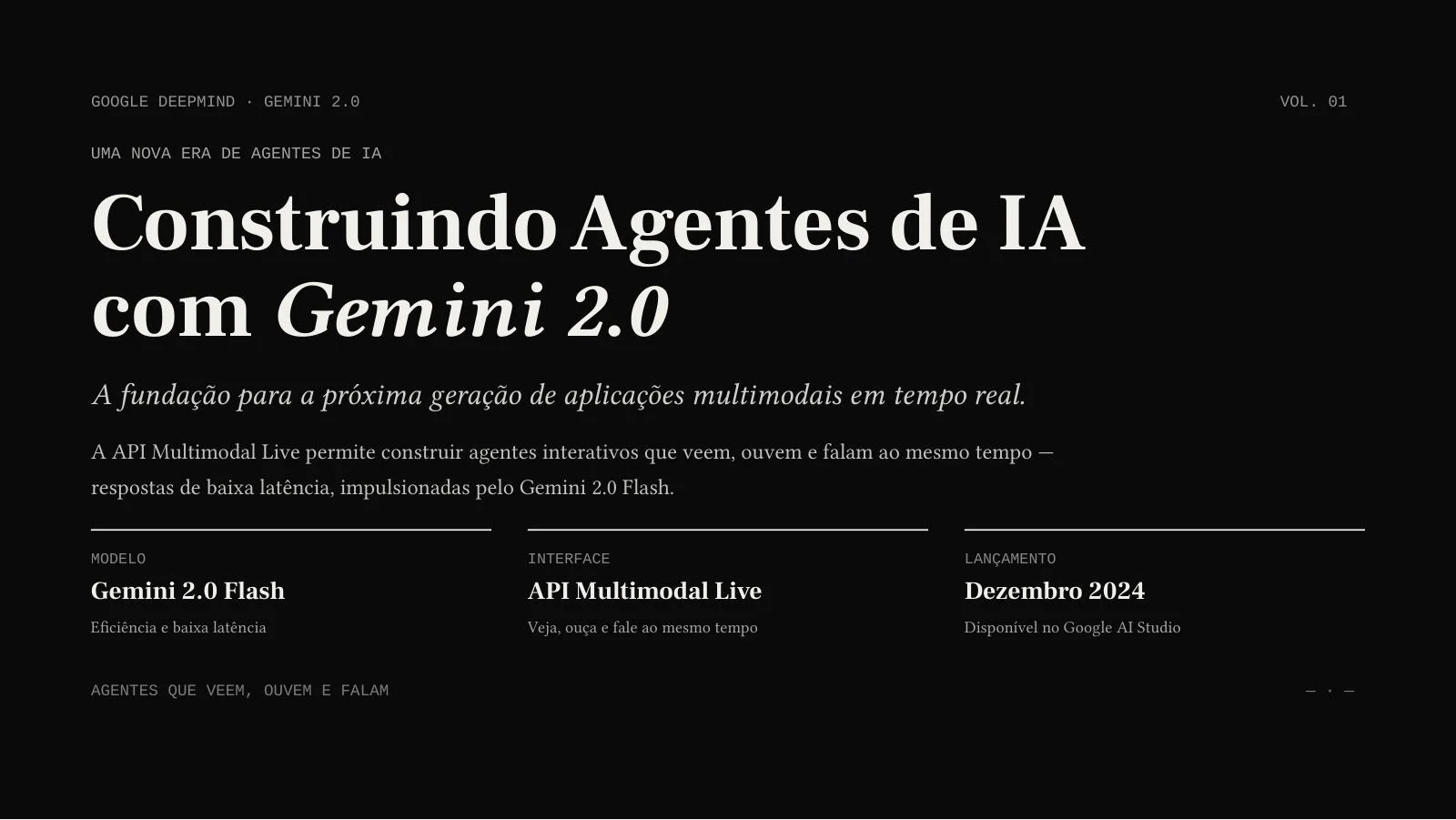
This is one slide from a real five-slide export in Brazilian Portuguese, created for a Gemini demonstration video. Download the example PPTX to inspect the whole result in your presentation software. It illustrates that one run, not a promised layout or duration for every request.
Review before presenting
Check names, numbers, dates, missing caveats and the order of the argument. Then inspect text fit, contrast and images. Open the downloaded PPTX in the software you will actually use: fonts, charts, animations and unsupported elements can behave differently.
The website language and the generated presentation language are separate settings. Credits and download access are also separate: a remaining balance does not by itself establish eligibility to download. Consult pricing and account rules before starting a paid workflow. For setup and detailed steps, use the documentation.