Presentation tools, compared

Presentations.AI or AIPPT.APP?

Choosing a Presentations.AI alternative? Decide whether you need recurring, branded decks or a specific file-to-PowerPoint task. Then check the relevant plan and output.

Published by AIPPT.APP. Presentations.AI information comes from its official pages. This is our product comparison, not an independent review or a paid Presentations.AI test.

Checked on

Compare the work you will actually do

Compare source preparation, brand requirements, revision and delivery. We have not measured comparative speed, design quality or compatibility in a paid Presentations.AI account.

  1. Source material

    Presentations.AI

    The official site describes starting from prompts, documents and URLs, including Word, PDF and Excel. These inputs are not unique to AIPPT.APP.

    Source workflows

    AIPPT.APP

    Choose a topic or a dedicated Word, Excel, PDF, text, Markdown or HTML workflow. Check file limits and prepare the content that should remain accurate.

  2. Brand setup

    Presentations.AI

    Brand Sync is described as applying logos, fonts and colors from a website URL. Test it with your actual brand and check your plan’s controls.

    Brand Sync overview

    AIPPT.APP

    Choose an available template and describe colors, audience and layout priorities. Do not assume automatic brand synchronization or exact preservation of a source layout.

  3. Recurring updates

    Presentations.AI

    The site describes Refresh for updating presentations from new data and context. The current pricing table lists Presentation Refresh under Gold.

    Refresh plan conditions

    AIPPT.APP

    Our Excel-to-slide example uses one uploaded workbook to generate a draft. It is not a live workbook link or a scheduled data-refresh workflow.

  4. PowerPoint delivery

    Presentations.AI

    The current comparison table lists PowerPoint/PDF export across Starter, Pro and Gold. A separate Pro highlight mentions high-quality export; verify your account’s actual conditions.

    Export and plan table

    AIPPT.APP

    Review the exported PPTX in your destination app. AI Agent and image modes have different editability; generation credits and download access are checked separately.

Choose for your next task

Presentations.AI

A repeated reporting or branded-deck workflow

Consider Presentations.AI if Brand Sync and data-driven updates are central. Review Refresh availability and test the actual sources, permissions and exports you need.

Review Presentations.AI plans

AIPPT.APP

Start from a specific source or file task

Consider AIPPT.APP if you want a dedicated document-to-slide entry point and related PowerPoint conversion tools. Review generation mode, credits and download access first.

See AIPPT.APP’s input workflows

An actual AIPPT.APP result

Inspect a real AIPPT.APP workbook-to-slide result, with the original Excel file and exported PPTX. This is a static generation example, not a Presentations.AI benchmark or a live-data demonstration.

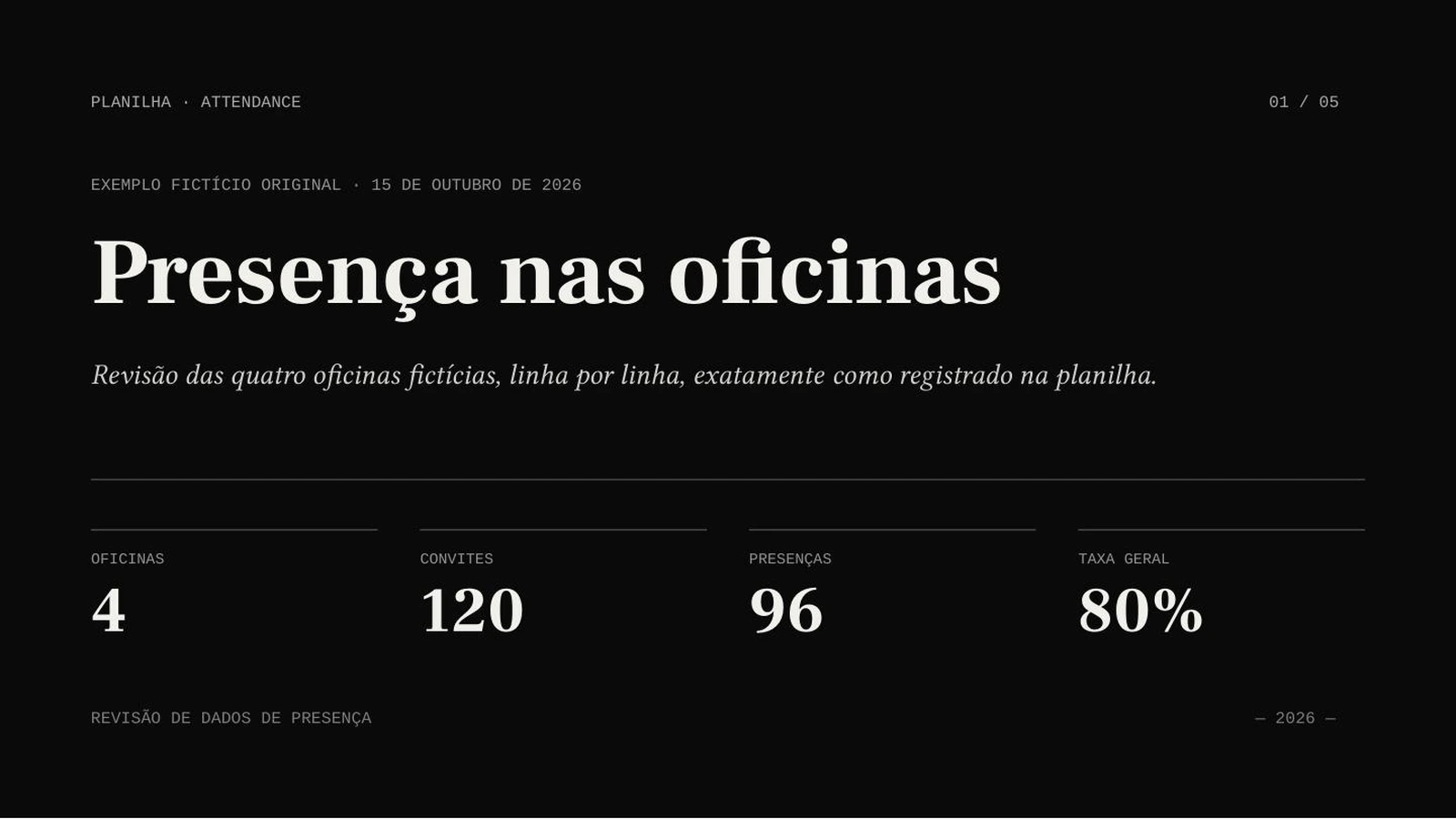
Actual Portuguese AIPPT.APP slide introducing a fictional workshop attendance reviewOpen full-size image
Portuguese output: framing the attendance review
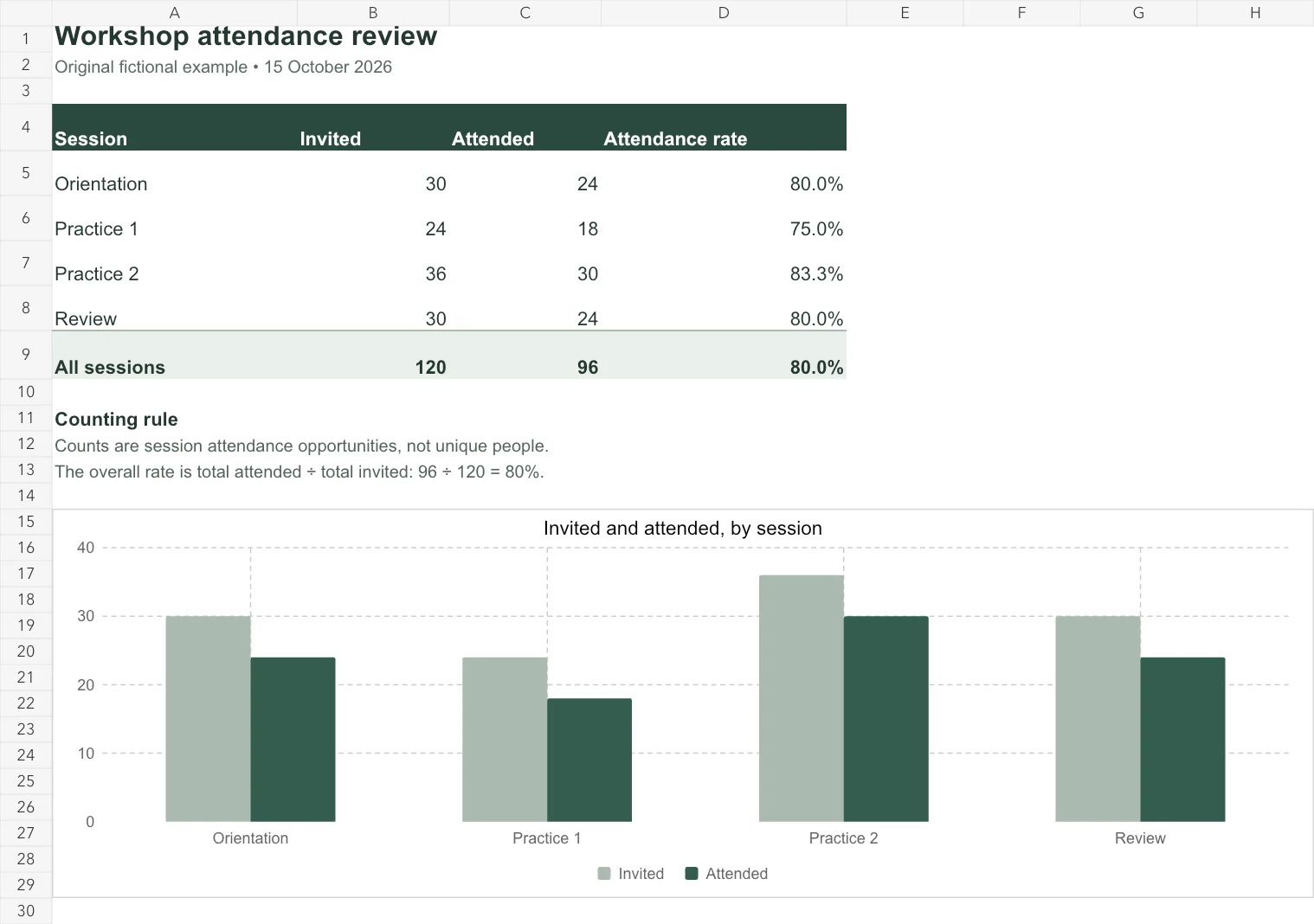
Original English Excel worksheet with four workshop sessions and calculated attendance totalsOpen full-size image
Our original Excel worksheet with its source-linked chart and calculated totals; fictional session counts.

AI Agent · Sonnet 4.6 · Portuguese · 5 slides requested · no illustrations

Four sessions. One carefully defined total.

The original English workbook contains invited and attended counts for four fictional workshops. The overall rate uses total attendance divided by total invitations.

A real generated example. The source totals are 120 invited attendances and 96 actual attendances: 80%. These are session counts, not unique people. Verify the complete result against the workbook.

Our fictional English workbook counts workshop attendances, not unique people. The result is in Portuguese. Settings beside the result describe that run; the tutorial shows a separate input state.

A source file gives you a concrete test

  1. An operations review

    Explain counts, periods and exceptions from an operational worksheet. State whether rows describe people, events or repeated opportunities.

    Start with an Excel workbook
  2. A research discussion

    Bring your own labeled results and describe the sample. Review units, missing values and denominators before presenting a finding.

    Start with an Excel workbook
  3. A planning conversation

    Show options from your working table. Keep assumptions, forecasts and observed results clearly separate.

    Start with an Excel workbook

Try a workbook, then check the numbers

Use a small, nonconfidential workbook. Verify totals, percentages and counting rules against the source before using the exported deck. The tutorial shows AIPPT.APP’s Excel workflow.

  1. Prepare the workbook

    Choose a nonempty XLSX or XLS file within 50 MiB. Label columns, units and periods, save calculated values and identify the relevant sheet in your instructions.

  2. Choose the settings and generate

    Select the slide count, output language, model and any optional illustrations. Sign in, check the credits and submit once.

  3. Review and export

    Compare the draft with its source. Correct content and layout, then open the downloaded file in your presentation software.

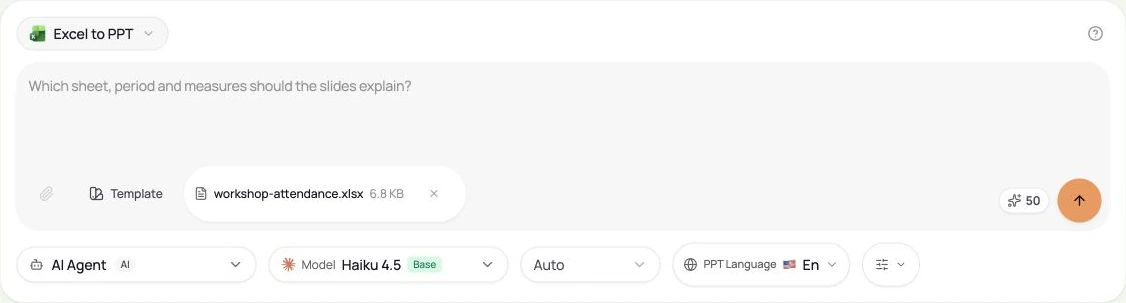
Actual AIPPT.APP source input and presentation settingsOpen full-size image
Actual interface before generation. The original sample content is in English; presentation language is selected separately.
Start with an Excel workbook

Questions before you switch

Is PowerPoint export only available on Presentations.AI Pro?

Its current pricing table lists PowerPoint/PDF export in Starter, Pro and Gold, while the Pro card highlights high-quality export. We have not tested every account entitlement. Check the current product conditions rather than assuming a blanket Pro-only rule.

Does AIPPT.APP keep this Excel example automatically updated?

No. The displayed result was generated from one uploaded workbook. It does not demonstrate a live data link or scheduled updates. Review the counting rules and regenerate or edit a draft when the source changes.

Will every AIPPT.APP element be editable?

No. AI Agent can produce editable text and shapes alongside image visuals. Image mode produces full-slide images, so its text is not individually editable. Check the chosen mode and the actual file.

Sources and method

Checked on 16 October 2026. Presentations.AI capabilities are documented claims, not results from our own paid account. Features and plan conditions can change.

Our own evidence includes current product code, real source-to-PPTX samples and published account conditions. We have not verified every font, app, team workflow or competitor plan. Use your own material to evaluate the fit.