
Gamma
Keep creation and web delivery together
Consider Gamma if you want to create, edit and share presentations or other supported formats in the same workspace. Test the export with your actual content.
Explore Gamma’s presentation toolsPresentation tools, compared
Looking for a Gamma alternative? Start with your source material and final deliverable. Compare input choices, editing modes and export conditions before moving your work.
Published by AIPPT.APP. We describe our own product alongside Gamma’s official documentation; this is not an independent review.
Checked on
Published Gamma features and verified AIPPT.APP behavior are distinguished below. We did not run a timed, same-prompt benchmark or rank either product’s design quality.
Gamma
Generate from a topic, paste text, or import documents, presentations and webpages. Current help lists Word, PPTX, PDF and connected sources.
Gamma import guideAIPPT.APP
Start with a topic or choose a dedicated Word, Excel, PDF, Markdown or HTML workflow. Each entry point explains its input requirements.
Gamma
Gamma 5 documentation describes fixed 16:9 presentation canvases, grids, free placement and AI-assisted changes.
Gamma editing guideAIPPT.APP
Review slides in the browser workspace. AI Agent output may include editable text shapes and image visuals; image mode creates full-slide images.
Gamma
Export PDF, PNG or PowerPoint. Gamma documents editable PPTX tables and notes that fonts or some visual effects can differ after export.
Gamma export guideAIPPT.APP
Download a PPTX when your account has export access. Inspect the actual file in your destination app; editability depends on the generation mode and output.
Gamma
Free and paid plans are available. Current documentation says Free PDF/PPTX exports carry Gamma branding; paid-plan conditions apply to removing it.
Gamma pricingAIPPT.APP
Sign-in and generation credits are required. Download access is checked separately. Review the current estimate and plan before starting.
Gamma
Consider Gamma if you want to create, edit and share presentations or other supported formats in the same workspace. Test the export with your actual content.
Explore Gamma’s presentation toolsAIPPT.APP
Consider AIPPT.APP if you want a dedicated document-to-slide entry point and related PowerPoint conversion tools. Review generation mode, credits and download access first.
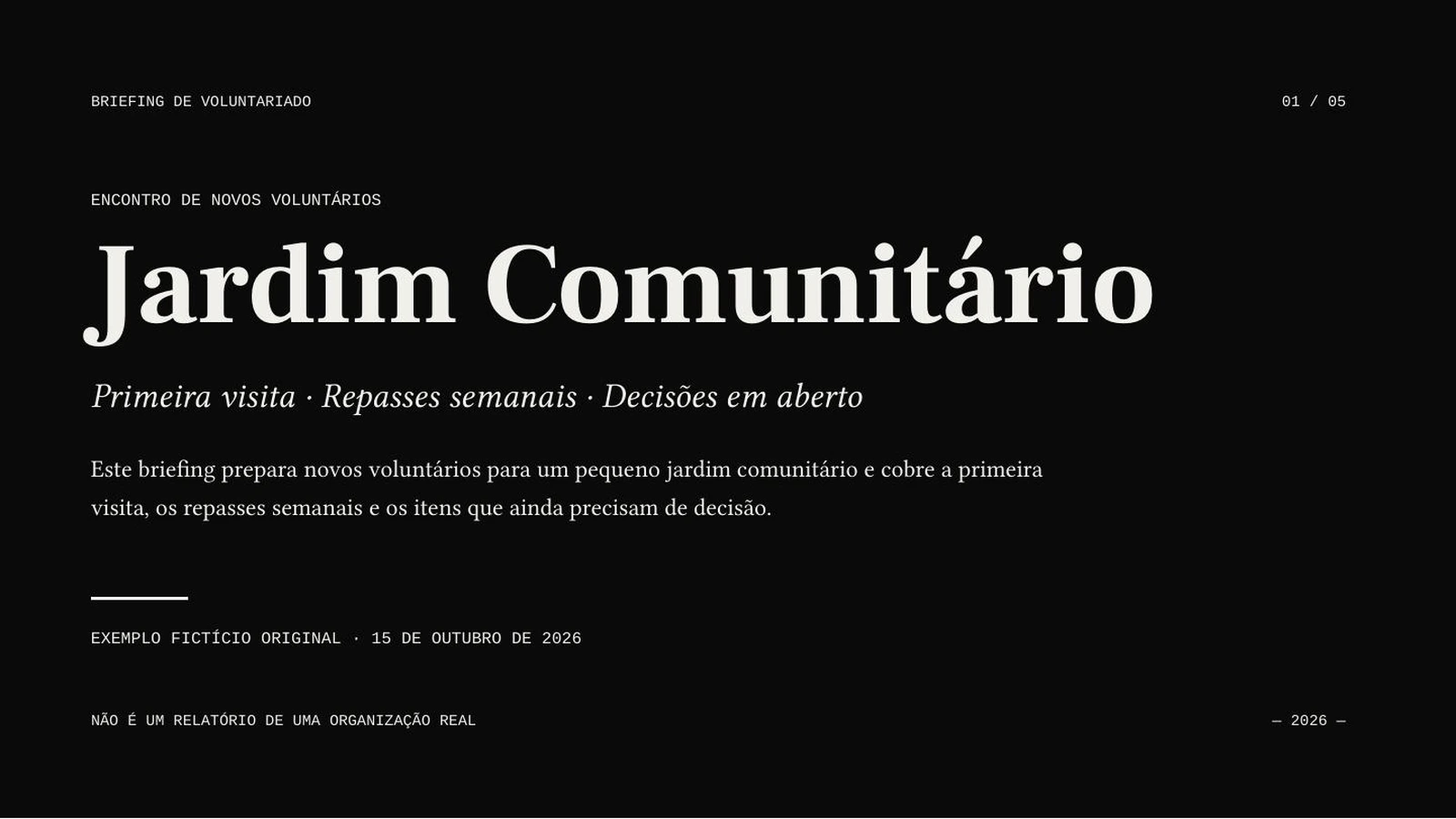
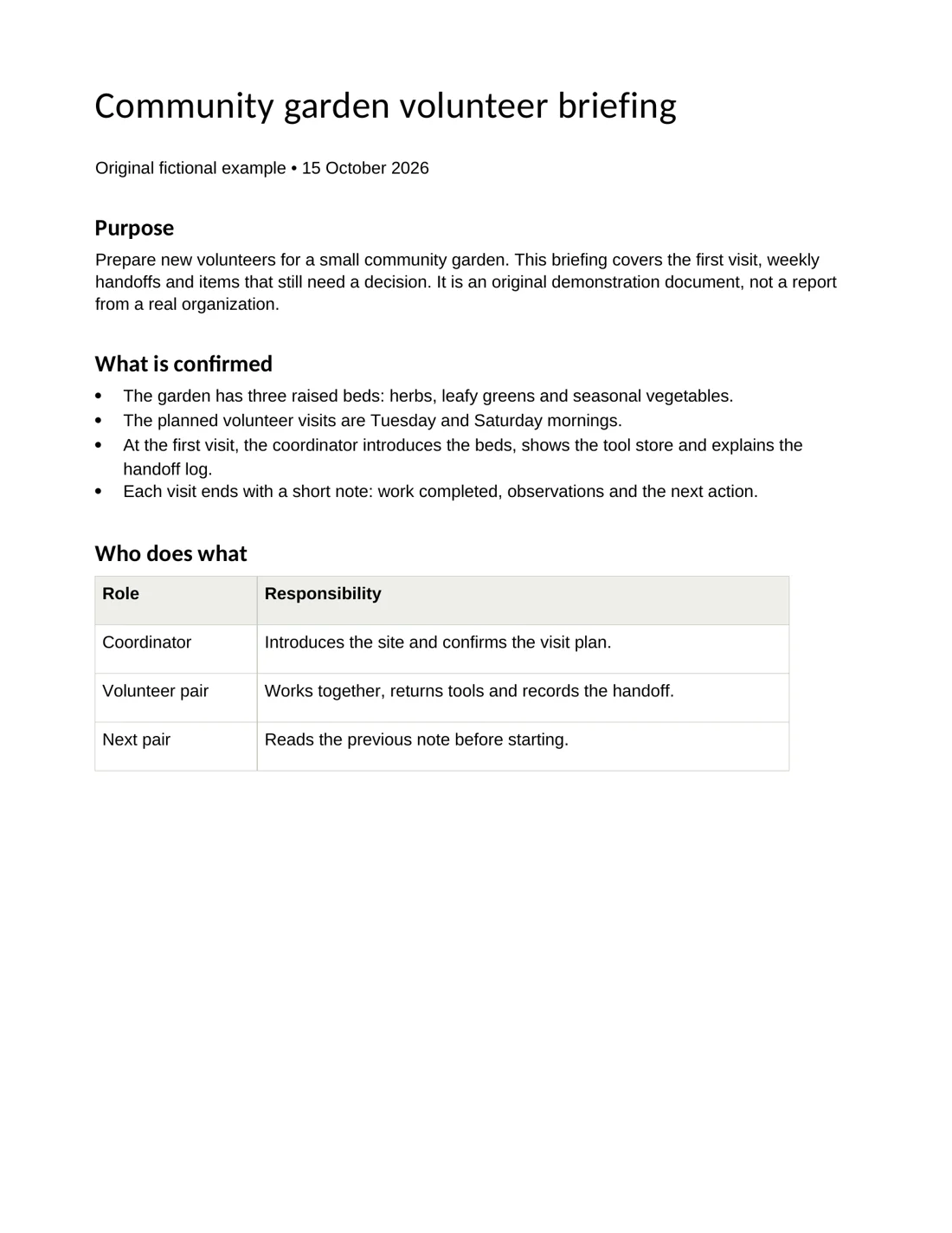
See AIPPT.APP’s input workflowsHere is a document-to-slide example you can inspect, with the source and exported PPTX available. It illustrates AIPPT.APP, not a matched test against Gamma.
 Open full-size image
 Open full-size image
AI Agent · Sonnet 4.6 · Portuguese · 5 slides requested · no illustrations
An original two-page English garden briefing is the source for a Portuguese presentation. Compare the source with the actual exported slides.
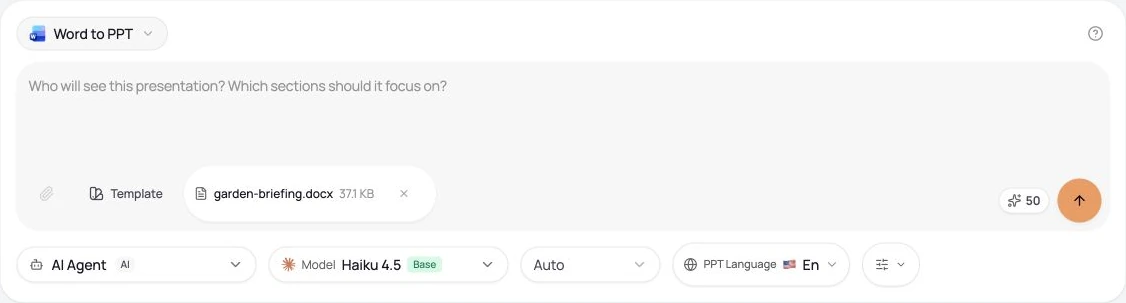
Our original fictional English briefing was used to generate the Portuguese deck. The settings beside the result describe that run; the tutorial screenshot shows a separate input state.
Use your onboarding document to introduce roles and routine tasks. Ask for the audience’s level and preserve instructions that must remain precise.
Explain counts, periods and exceptions from an operational worksheet. State whether rows describe people, events or repeated opportunities.
Use a report you can share as the source for a shorter meeting deck. Check figures, sources and any caveats lost in the summary.
Use a small, nonconfidential document and inspect both the draft and the downloaded file. These steps and the screenshot show AIPPT.APP’s Word-to-PowerPoint workflow.
Choose a nonempty DOCX or DOC file within 50 MiB. Clear headings and complete sections give the draft useful structure.
Select the slide count, output language, model and any optional illustrations. Sign in, check the credits and submit once.
Compare the draft with its source. Correct content and layout, then open the downloaded file in your presentation software.
 Open full-size image
Yes. Gamma’s official help lists PowerPoint (PPTX), PDF and PNG exports. Check current plan conditions, branding and the exported file’s appearance. PPTX export is not exclusive to AIPPT.APP.
No. AI Agent can produce editable text and shapes alongside image visuals. Image mode produces full-slide images, so its text is not individually editable. Check the chosen mode and the actual file.
There is no direct Gamma account connection on this page. Keep an export of content you are authorized to use, then choose an AIPPT.APP workflow that accepts that file. Check the current input limits before uploading.
Checked on 15 October 2026. Competitor features below are documented claims, not results from a paid competitor account. Pricing and available features can change.
Document, PowerPoint, webpage and connected-source inputs.
Available formats, editable tables, branding and visual differences.
Check the current plan and export conditions.
Our own evidence includes current product code, real source-to-PPTX samples and published account conditions. We have not verified every font, app, team workflow or competitor plan. Use your own material to evaluate the fit.