
 PPT to Word
Client brief
Reuse proposal text in a brief you can expand and comment on. Add context and review reading order yourself.
From slide deck to working document
Turn a PPTX into a DOCX you can open and edit. Reuse slide text in a brief, class notes or a draft, then review the layout before sharing.
Workflow illustration. AIPPT.APP converts the file on its server; editing takes place in your document app.
01
Two original English decks converted with AIPPT.APP on 14 October 2026. These previews show page one of each DOCX, rendered in LibreOffice. Download the files to inspect both pages.


Check the serif headline and small text. The document keeps a landscape page; it is not automatically rewritten as a portrait report.
02
Reuse proposal text in a brief you can expand and comment on. Add context and review reading order yourself.
Move lecture material into a document and add your own explanations. Speaker notes and multi-slide handouts are not included.
Use slide text as source material, then reorganize it into paragraphs. Conversion does not write or summarize an article.
03
Sign in and choose a PPTX up to 50 MB. Save older PPT files as PPTX first.
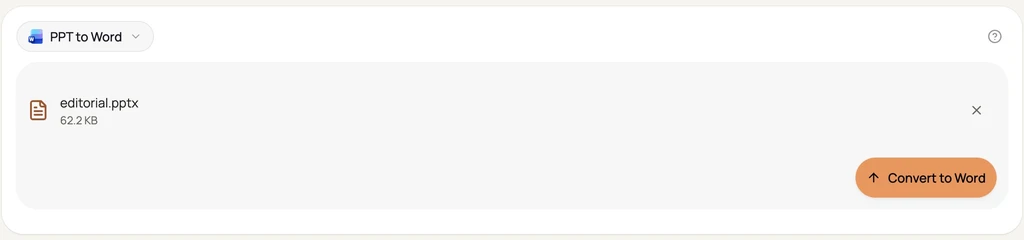
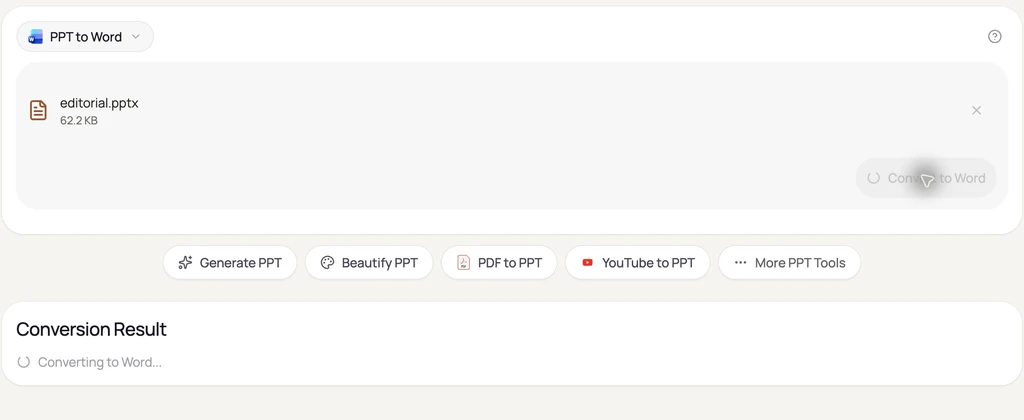
Use the conversion button and wait for the result. Large or complex presentations can take longer.
Download the DOCX. Open it and check page order, editable text, line breaks and image placement.
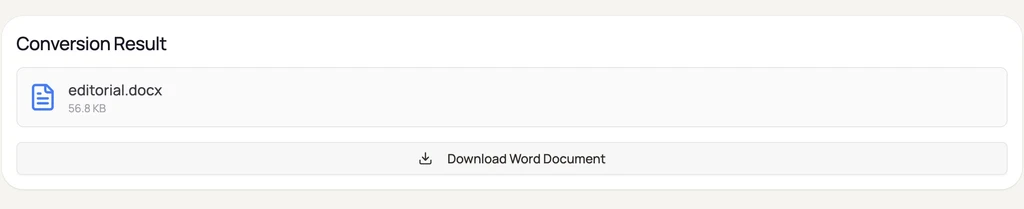
Actual English AIPPT.APP conversion screens captured on 14 October 2026 with original samples, without customer data. Open a screenshot to view it larger.
Fonts, spacing and reading order may change. Our sample output has editable text and layout tables; it is not a semantic outline of the deck.
Images do not become editable text. Do not assume charts remain native Word charts. Animations, video and slide interactions are not reproduced.
Your PPTX is uploaded to AIPPT.APP. Only use files you may share with this service; see the privacy policy for data handling.
04
Yes, after sign-in. Bearer API calls cost 1 credit per presentation.
One PPTX up to 50 MB. The output is DOCX, not legacy DOC. Several decks cannot be uploaded together here.
No. It converts existing slide content; it does not expand bullets, summarize or generate prose.
Not guaranteed. Compare a sample, then review the result in the app you plan to use. Keep the PPTX for slide editing.
Check the file format, size and sign-in. Try a small valid sample to distinguish a file issue from a service problem.